
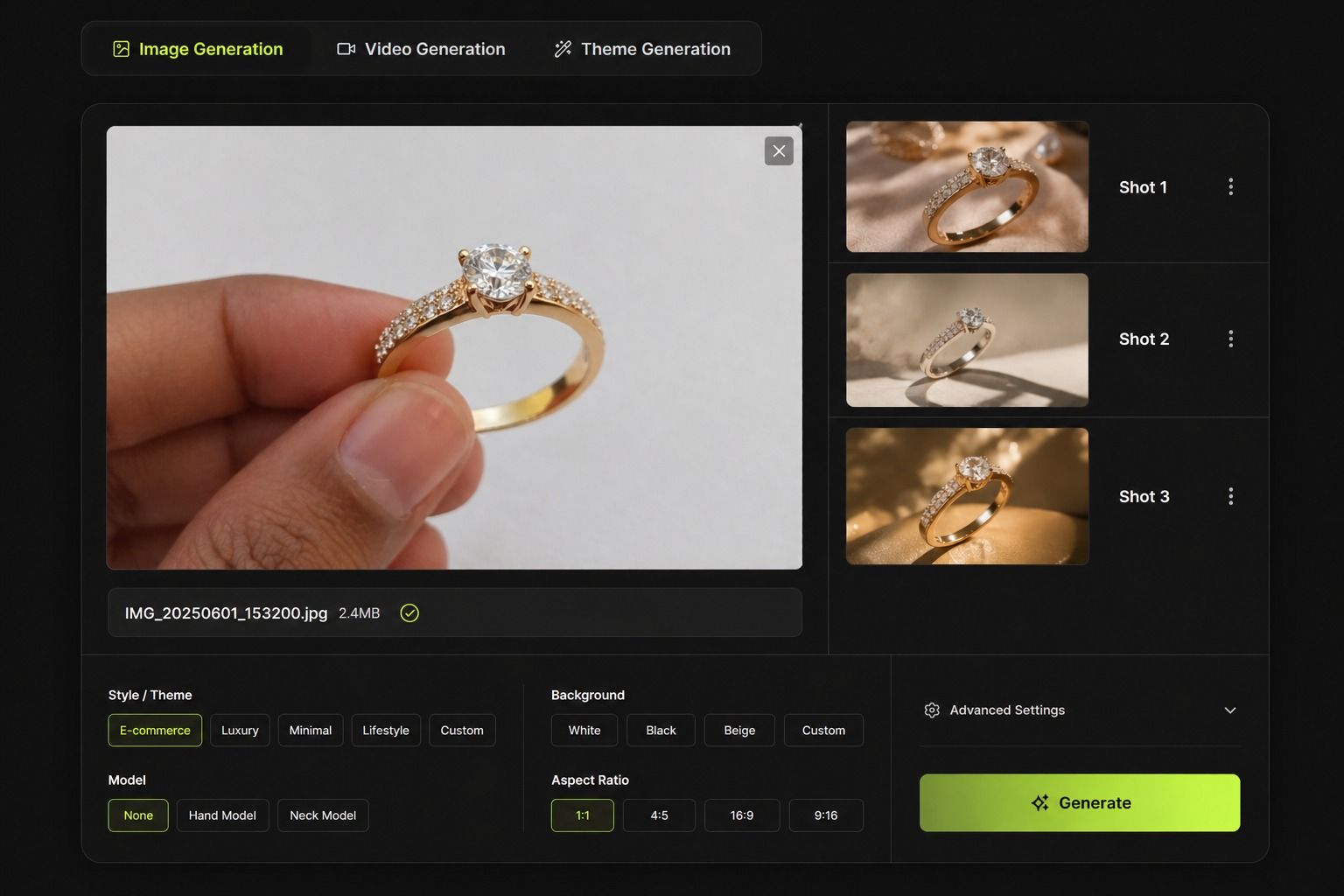
Creating jewelry product photos does not need a studio, camera team, or complex setup anymore.
With a normal phone photo and AIVX, you can turn simple jewelry pictures into professional ecommerce visuals in minutes.
This is one of the easiest ways for jewellery brands, resellers, and small businesses to create better product photos without expensive shoots.
Can You Use a Normal Phone Photo for Jewelry Images?
Yes.
You do not need DSLR cameras or heavy lighting setups.
Even a simple phone image can work well if:
- The product is visible clearly
- The photo is not too blurry
- Basic lighting is available
- Jewelry is centered properly
Then AIVX can help improve the final result.
The Simple 3-Step Method
Step 1 - Take a Clear Photo
Place the jewelry anywhere with decent light.
Good examples:
- Near a window
- On a table
- In your hand
- On white paper
- On simple cloth
Then use your phone and take one clear picture.
No need to overthink angles or setup.
Step 2 - Upload to AIVX
Open AIVX and upload the image.
Even a normal mobile photo can be used.
This is useful for brands searching for:
- jewelry editing
- edit jewelry photos
- photo edit jewellery
- best photo editor for jewelry
Step 3 - Generate Professional Outputs
AIVX can turn your simple photo into cleaner product visuals such as:
- White background product photos
- Luxury catalog images
- Social media creatives
- Premium ecommerce visuals
- Model showcase images
- Multiple theme variations
This saves time compared to repeating traditional jewellery photography shoots.
Why This Method Works for Jewelry Sellers
Many jewellery businesses waste time trying to create perfect raw photos first.
But today, a clean phone photo + AIVX is often enough.
Benefits:
- Faster product uploads
- Lower photography cost
- Better catalog consistency
- Easy content for ads
- Better website visuals
- Quick launch for new collections
What Kind of Jewelry Can You Shoot?
- Rings
- Earrings
- Chains
- Necklaces
- Bracelets
- Pendants
- Bangles
- Necklace set
- Pendant set
- Anklet
- Hathpan
- Bajubandh
- Article
- Kada
- Nosepin
- Hipbelt
- Choker
- Long set
Do You Need Perfect Lighting?
No.
Natural room light is usually enough.
Avoid only:
- Very dark rooms
- Heavy blur
- Blocked product view
That is enough.
Can AIVX Create Better Versions from One Photo?
Yes.
One normal photo can become many outputs.
Brands use AIVX as an:
- AI jewelry image generator
- AI product photo generator for jewelry
- jewelry AI photoshoot generator
- AI model generator for jewelry
Without needing new shoots every time.
Best Use Cases
This workflow is great for:
- Shopify jewellery stores
- Instagram sellers
- WhatsApp businesses
- Etsy shops
- Amazon sellers
- New jewellery launches
Frequently Asked Questions
Can I use phone photos only?
Yes. That is enough for many products.
Does the photo need studio lighting?
No. Clear lighting is enough.
Can AIVX edit jewelry photos?
Yes. It improves simple images into cleaner commercial visuals.
Is this better than traditional photoshoots?
For speed, cost, and daily catalog needs, often yes.
Final Thoughts
You do not need to make jewelry photography complicated.
Take one clear phone photo. Upload to AIVX. Generate better visuals.
That is why many modern jewellery brands now choose faster AI workflows instead of expensive traditional shoots.