
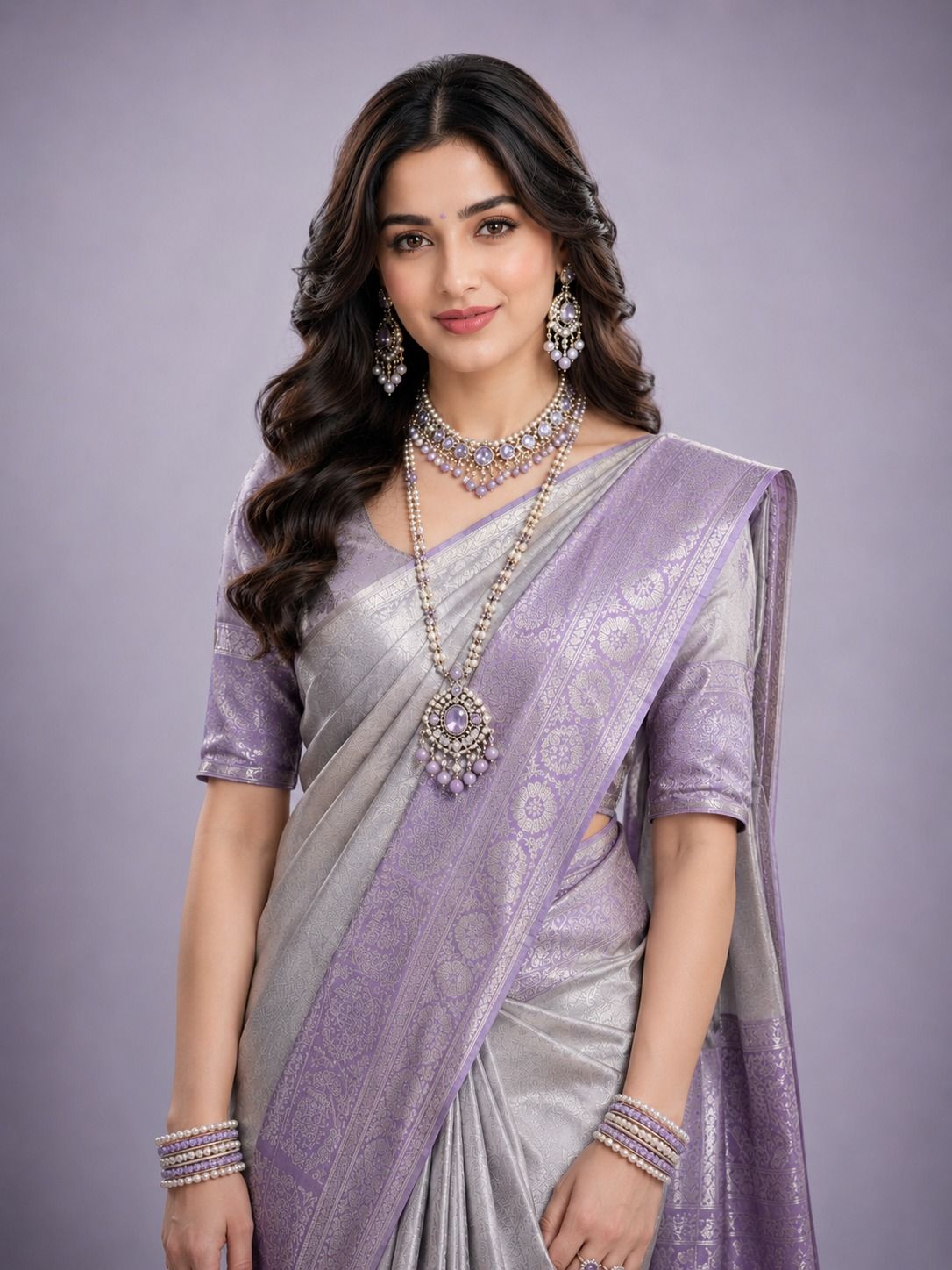
Most sellers know they need better product images. The hold-up is always the same. The time it takes, the money it costs, and the coordination required before a single photo is ready to upload.
AI-generated photoshoots remove all three barriers. You don't need a studio, a model, or a photographer. You need one clean product image and a platform that knows how to handle fashion and jewellery specifically.
This is a step-by-step guide to creating professional AI photoshoots for your fashion or jewellery products. From the first product photo to catalog-ready images across every platform you sell on.
What You're Actually Creating and Why It Matters
An AI-generated photoshoot isn't a filter applied to your product photo. It's a completely new image built with your actual product, a realistic model, professional lighting, a styled background, and the visual finish of a proper studio output.
75% of online shoppers say product photos directly influence their buying decision. For jewellery and fashion specifically, the image isn't just supporting the sale. It often makes the sale. A customer can't touch the fabric or try on the ring. What they see in the photo is what they're buying.
The difference between a flat product image and an on-model, styled AI photoshoot is the difference between showing a customer what your product is and showing them what it looks like when worn, styled, and presented well. That difference shows up in conversion rates, return rates, and how long someone stays on your product page.
What You Need Before You Start
A Clean Product Photo
This is the only input you need. You don't need a professional camera or a studio setup. What you need is a photo where:
- The product is clearly visible with no obstructions
- The background is plain, white, light grey, or any neutral surface
- The lighting is even, without heavy shadows falling across the product
- The image is in focus, especially for jewellery, where fine detail matters
A smartphone in natural window light on a plain white sheet is enough to start. The AI builds the environment around your product. It cannot invent details that aren't in your photo. So the sharper and cleaner your input, the more accurate the output.
A Platform Built for Your Category
Not every AI photography tool handles fashion and jewellery with equal accuracy. A general-purpose image generator will approximate results. A platform trained specifically on jewellery and fashion, like AIVX Studio, will preserve the exact metalwork on a gold necklace, the stone clarity on a diamond ring, the drape of a saree, and the fall of a lehenga silhouette.
This distinction matters most for Indian sellers. Kundan, polki, temple sets, meenakari, and antique gold all have surface characteristics that require category-specific training to render correctly. Generic tools miss these. AIVX Studio is built on them.
Step-by-Step: Creating Your AI Photoshoot
Step 1 - Take Your Product Photo
For Jewellery
Place your piece on a clean white or light grey surface. Use natural light from a window and avoid direct sunlight, which creates harsh reflections on metal. Keep the camera parallel to the product, not angled down. For rings, a straight-on angle shows the setting best. For necklaces, lay the chain out fully so the pendant is clearly visible.
If your piece has fine stonework, diamonds, rubies, emeralds, or polki stones, make sure the light catches the surface without blowing out the highlights. Diffuse the light with a thin white cloth over the window if needed. Take multiple shots at slightly different angles and pick the sharpest one.
For Fashion
A flat lay on a clean surface works well for most garments such as kurtas, tops, and jackets. For sarees and lehengas, a partial drape showing the pallu or the skirt flare communicates more than a fully folded flat lay. A ghost mannequin or hanger shot also works as input if you have one available.
The key for fashion input photos is that the print, embroidery, or fabric texture is clearly visible. If your kurta has block print or your lehenga has zari work, make sure the camera is close enough to show the detail so that the AI can carry that detail into the generated output.
Step 2 - Upload to AIVX Studio
Log in to AIVX Studio and upload your product image. The platform accepts standard JPG and PNG files. There is no minimum resolution requirement, but higher-resolution inputs produce sharper outputs, especially for jewellery where detail matters at close range.
At this stage, the AI reads your product, identifies the category, the surface characteristics, and the details it needs to preserve in the output.
Step 3 - Choose Your Output Type
Clean Product Shot
A professionally lit product image with a clean, styled background suitable for marketplace listings on Amazon, Myntra, Flipkart, and Nykaa Fashion. The product is the focus, and the background is minimal and controlled.
On-Model Photo
Your product is placed on a realistic AI model. For jewellery, this could be on a hand, neck, ear, or wrist. For fashion, it can be shown on a full figure displaying fit, drape, and silhouette. Choose model skin tone, body type, and styling context. AIVX Studio includes Indian model options as a default.
Lifestyle Image
Your product is placed in a contextual environment. A jewellery piece on a model in a festive setting, a saree styled against a warm interior backdrop, or a kurta in an outdoor context. Lifestyle images perform well on Instagram, Pinterest, and paid advertising creatives.
Product Video
A short video clip generated from the same product photo, showing the product with realistic movement and lighting. Suitable for Instagram Reels, YouTube Shorts, and marketplace listing videos.
Step 4 - Set Your Visual Preferences
This step is where your brand consistency gets built. Before generating, choose:
- Background style: Clean white for marketplace listings, lifestyle settings for social media, or a neutral studio background for your website.
- Model appearance: Skin tone, build, and styling direction that matches your target audience.
- Image dimensions: Formats optimized for Amazon, Myntra, Instagram, and other platforms.
- Lighting mood: Warm and rich for traditional jewellery and ethnic wear, clean and neutral for contemporary categories, or editorial and high-contrast for luxury positioning.
Step 5 - Generate, Review, and Download
The AI generates your image within minutes. Review it for:
- Product accuracy: Ensure metalwork, stone settings, prints, and embroidery match your original product.
- Model and fit: Check garment drape and jewellery placement.
- Background and lighting: Confirm alignment with your selected style and platform requirements.
If anything needs adjusting, such as model position, background tone, or image dimensions, update the settings and regenerate. The process takes minutes rather than days.
Once satisfied, download the image for commercial use across all channels.
Step 6 - Build Variations for Every Platform
One product upload doesn't need to produce one image. For each product, generate:
- A white-background product shot for Amazon and Flipkart
- A portrait model shot for Myntra and Nykaa Fashion
- A lifestyle image for Instagram and WhatsApp Catalog
- A video clip for Reels or marketplace listing videos
This approach helps you build a complete content stack from a single upload without running separate shoots for different channels.
Specific Guidance for Indian Jewellery Categories
Gold and Bridal Sets
Traditional bridal jewellery such as necklaces, maang tikka, jhumkas, bangles, and full sets benefit from warm lighting that highlights the richness of gold. Photograph individual pieces separately and together as a collection for different marketing uses.
Kundan, Polki, and Meenakari
These categories contain highly detailed surfaces. Use close, well-lit input photos that clearly show uncut stones, enamel work, and intricate craftsmanship to ensure accurate AI rendering.
Silver and Contemporary Jewellery
Silver reflects its surroundings, so use a clean white or light grey background to prevent unwanted color casts. Minimalist styling often works best for contemporary silver collections.
Specific Guidance for Indian Fashion Categories
Sarees
Upload a photo showing the full saree fabric, including the border and pallu. The AI needs to see the full design to render it accurately on a model.
Lehengas and Bridal Wear
Ensure the skirt flare and dupatta drape are visible in the input image. For bridal collections, use festive lifestyle settings to create wedding-season marketing assets.
Kurtas and Everyday Wear
Flat lay or hanger photos work well. Prioritize showing the neckline, sleeve details, prints, and embroidery. For complete sets, photograph all components together.
What a Complete AI Photoshoot Looks Like in Practice
A jewellery brand in Rajasthan with a new collection of 30 products once needed three to four weeks from design completion to final product imagery. With AIVX Studio, the same collection can generate catalog-ready assets within days.
Each product can generate a clean product image, an on-model image, and a lifestyle image. Bridal products can also receive wedding-themed promotional visuals.
That means more than 90 images across multiple formats and channels from a single upload workflow.
Frequently Asked Questions
Do I need a professional camera to take the input photo?
No. A clear smartphone photo in good natural lighting is usually sufficient.
Will the AI change how my product looks in the generated image?
No. The AI preserves the product while generating the environment, model, lighting, and styling context around it.
How long does it take to generate one image?
Most images are generated within two to five minutes.
Can these images be used on Myntra, Amazon India, and Flipkart?
Yes. Images export in standard formats suitable for major marketplaces.
Can I choose an Indian-looking model for my product images?
Yes. AIVX Studio includes Indian model options with different skin tones and body types.
Does AIVX Studio handle traditional Indian jewellery categories like kundan and polki?
Yes. The platform is trained specifically on Indian jewellery categories and their unique visual characteristics.
Can I generate images for a full product collection at once?
Yes. Multiple products can be uploaded and processed with consistent visual settings.
Does it generate videos as well as photos?
Yes. Product videos can be generated from uploaded product images.
Is AI-generated photoshoot content commercially usable?
Yes. Generated content can be used for e-commerce, advertising, social media, catalogs, and wholesale presentations.
Is there a free trial to test before subscribing?
Yes. AIVX Studio offers a free trial so you can test the platform before purchasing.
The Straightforward Summary
Creating an AI-generated fashion or jewellery photoshoot comes down to four things: a clean product photo, the right platform, clear output preferences, and generating variations for each sales channel.
The process takes a fraction of the time and cost of a traditional photoshoot. For Indian fashion and jewellery brands, category-specific AI platforms can produce more accurate and consistent results than general-purpose image generators.
Try AIVX Studio free—upload your first product image and create your AI photoshoot today. No studio, no model booking, no waiting.