AI Model Photoshoot: How to Create Fashion Photos Without Hiring a Model
Booking a model for a fashion shoot means booking a date, a studio, a photographer, and a person, all at once, before you've even seen how the clothes look on camera. If any one of those falls through, the shoot moves. For a brand launching one collection a season, that's manageable. For a brand launching new pieces every few weeks, it becomes the thing that quietly slows everything else down.
An AI model photoshoot solves a narrower problem than people expect. It doesn't replace styling, photography skill, or a good garment. What it removes is the booking: the model, the studio day, and the wait between a sample arriving and a usable photo existing.
What an AI Model Photoshoot Actually Is
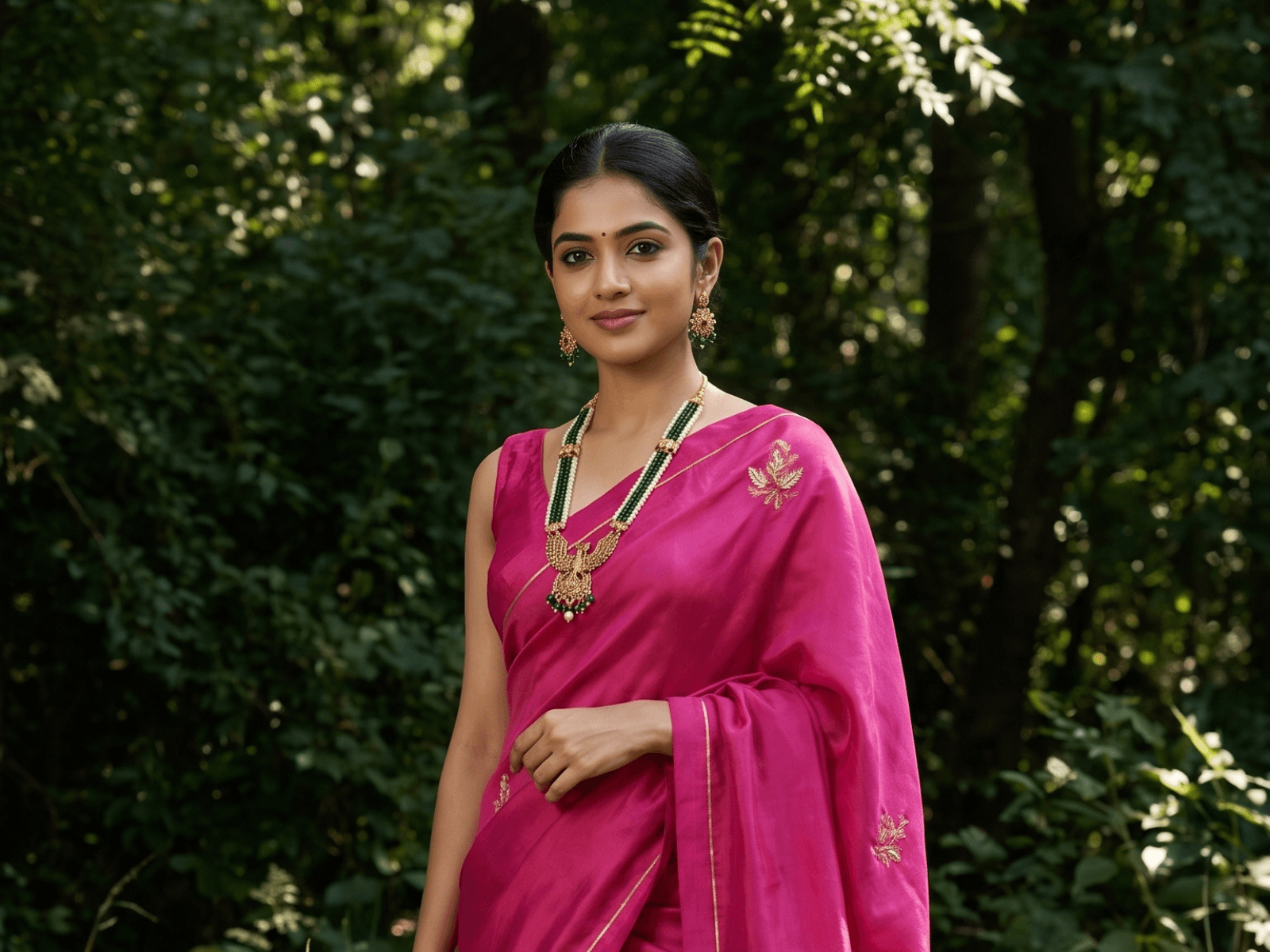
An AI model photoshoot takes a photo of a garment, usually a flat lay, a photo on a hanger, or a shot on a mannequin, and generates an image of that same garment worn by an AI-generated model. The underlying tool doing this is sometimes called an AI model generator; when it's specifically aimed at clothing, it's often described as an AI fashion model generator, which is the same idea from a slightly different angle: instead of photographing a real person wearing the piece, the model itself is generated.
The garment in the photo has to come from something real. What changes is who's wearing it in the final image.
Why Brands Use This Instead of Booking a Model
The honest reason isn't that AI photography looks better than a real shoot. A well-run studio shoot with a good model still produces excellent results. The reason brands reach for AI model photoshoots is more operational:
Frequent launches and content needs:
A brand adding new pieces every few weeks, or posting new looks on social every week, can't realistically book a shoot for every one.
Many variants of the same design:
Five colourways of the same dress used to mean five outfit changes in one shoot, or five separate bookings.
Lookbooks and seasonal campaigns on a tight timeline:
Not every brand has months of lead time to plan a full shoot.
No easy access to a studio or model network:
Not every brand is based somewhere with either.
Testing before committing:
Seeing a garment on a model before deciding how to shoot the real campaign, or before running paid ads.
None of this makes traditional photography obsolete. It just means the two approaches solve different problems, and a lot of brands end up using both: a real shoot for flagship campaign imagery, AI-generated shots for everything else that needs to go out regularly.
How the Process Actually Works
The steps to create an AI model wearing your garment are simple, but the quality of what you get out depends heavily on what you put in.
Step 1: Start with a clean product photo
A flat lay, ghost mannequin shot, or hanger photo with the garment fully visible, no folds hiding the cut or the print.
Step 2: Choose the model
Most tools let you set attributes like pose, age range, and body type, rather than generating a fixed, generic figure every time.
Step 3: Generate the shot
The tool places the garment on the chosen model and builds the surrounding image, whether that's a studio backdrop or a styled scene.
Step 4: Review for accuracy
Not just style. This is the step people skip, and it's the one that matters most (more on why below).
Step 5: Reuse the same model across a set
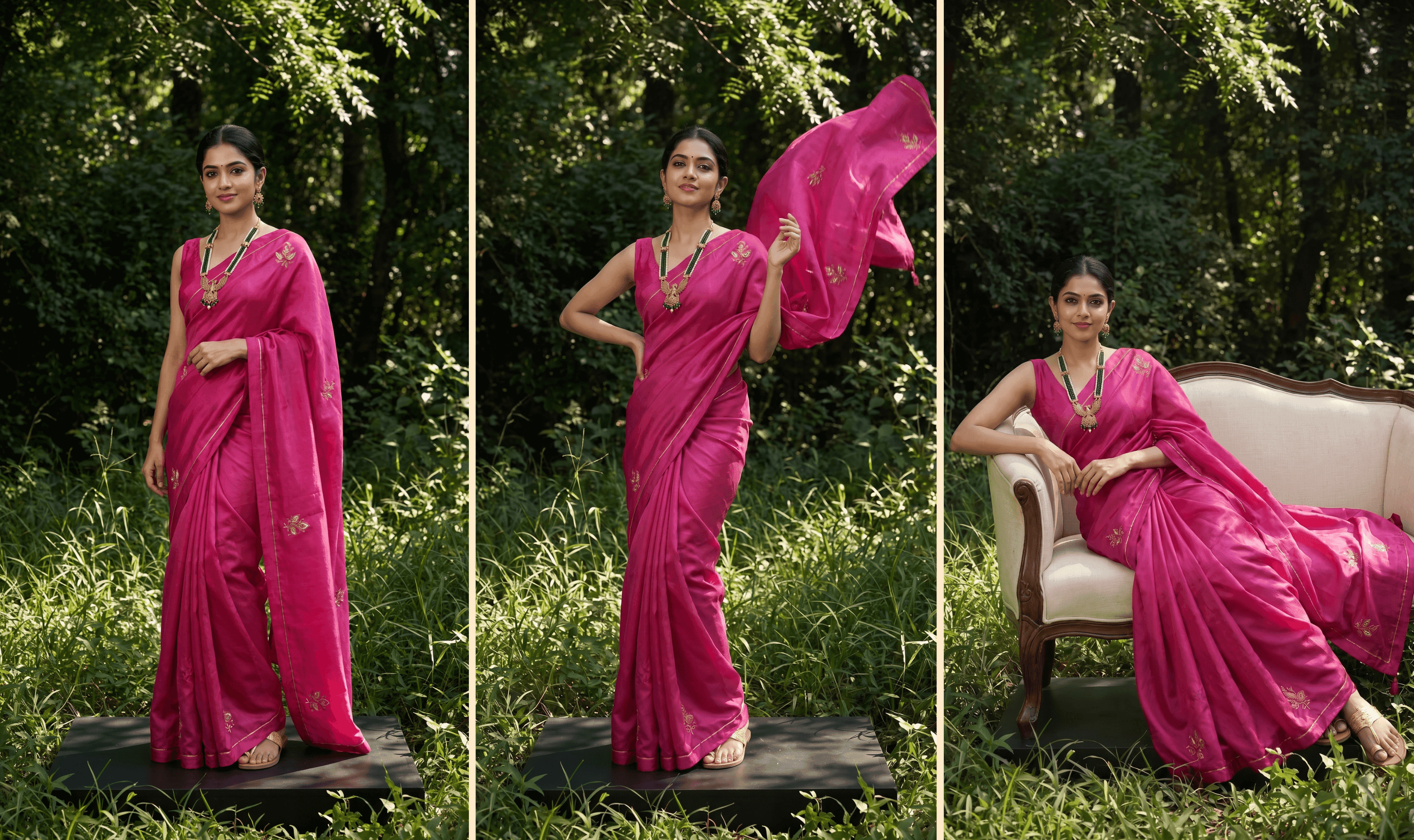
This matters if you need a coordinated group of images, rather than a different-looking model in every shot. A single flattering AI photo is easy. A set of images that all look like they came from the same shoot, with the same model, whether that's for a product page, a lookbook, or a social carousel, is harder to pull off, and it's usually what a real use case actually calls for.
What Actually Goes Wrong With AI-Generated Fashion Models
This is the part most guides on this topic skip, because it doesn't help sell the tool. It's also the part that matters most if you're going to use one.
Fabric that looks flat:
Real fabric has weight and drape. It moves, creases, and catches light differently depending on the material. Tools that don't understand this render clothing as a flat surface stretched over a body, which is why some AI fashion photos look slightly plastic.
Warped prints and logos:
A straight print line on the source photo can come out curved or misaligned once it's mapped onto a model's body, especially around sleeves or seams.
Garments blending into hands or skin:
A common failure point around cuffs, necklines, and anywhere fingers touch the fabric.
Fit that bends unnaturally:
Waistlines and sleeves that pinch or distort in ways a real garment never would.
A model that looks slightly different from shot to shot:
If the same "model" doesn't stay consistent across a set, the images don't read as one coherent shoot.
None of this means AI model photography doesn't work. It means the output needs to be checked with the same eye you'd use reviewing photos from a real shoot, not assumed to be correct because a machine made it.
This is also where having a team behind the tool helps. AIVX's team reviews and corrects flagged outputs, so an issue like a warped print or an odd fit doesn't have to be something you catch and fix entirely on your own.
Getting a Usable Result
A few things consistently improve the output, regardless of which tool is doing the generating:
- Use a well-lit, high-resolution source photo. A blurry or poorly lit garment photo gives the model less to work from.
- Keep the garment fully visible in the source shot rather than folded or bunched.
- For heavily textured or detailed fabric, include a close-up shot of the texture alongside the full garment photo, rather than relying on one flat-lay image.
- Be specific about pose and framing rather than accepting the first default result, especially for pieces where fit is the whole point.
- Generate more than you need and keep the ones where the fabric, print, and proportions actually hold up under a close look.
Where AIVX Fits Into This
This is the workflow AIVX is built around: you upload a photo of the garment, choose the model's nationality and pose, and AIVX generates the shot from there. If you want a specific age range, body type, skin tone, hairstyle, or even jewellery and footwear that suits the outfit, you can add that in plain English as part of the prompt rather than needing a separate setting for it. The same model is kept consistent across a full set of images, so whether you're building out a product page, a lookbook, or a set of social posts, you end up with a coordinated group of shots rather than a different-looking figure in each one.
AIVX also offers multiple themes and visual directions for the same piece, so you're not limited to one look per garment, and the team can help when a specific creative idea needs more detailed prompting. Beyond static images, AIVX also generates short product videos, which is useful for social content and listings that support video. You can see how the broader AI product photography approach works across categories beyond fashion as well.
As with any AI tool, results aren't guaranteed to be perfect on the first generation. The review step described above still matters, especially for anything going straight onto a product page.
Getting the Best of Both
For a flagship campaign, a hero image, or anything where a specific person's presence is part of the brand story, a real model and photographer are still the right choice. AI model photoshoots are strongest for the volume work: product shots, social content, seasonal variants, the pieces that need to go live quickly and don't carry the weight of a single hero campaign image.
Most brands using this well aren't choosing one over the other. They're using AI for the bulk of their content and saving real shoots for the moments that need them.
FAQs
Do I need a professional photo to start?
No, but you need a clear one. A flat lay, hanger shot, or ghost mannequin photo taken in decent light works fine. The garment just needs to be fully visible, with the cut and any print or detail not hidden by folds.
Can the same AI model appear across a full set of photos?
Yes, this is what makes the images usable for a product page, a lookbook, or a social set, rather than a single standalone shot. AIVX keeps the model consistent across a set, so front, three-quarter, and close-up shots read as one coordinated shoot.
Can I choose what the AI model looks like?
Yes. Nationality and pose can be selected directly, and for anything more specific, like age range, body type, skin tone, hairstyle, or jewellery and footwear to match the outfit, you can describe it in plain English as part of the prompt.
Will every AI-generated photo be usable as-is?
Not automatically. Fabric texture, prints near seams, and fit around sleeves or waistlines are the areas most likely to need a second look. Treat the first generation as a draft to review, not a final image.
Does this work for every type of clothing?
It works best when the garment's structure is clear in the source photo. Simple cuts tend to generate cleanly on the first try. For heavily draped, sheer, or highly textured fabric, add two or three extra close-up shots of the texture or detailing along with the main photo. AIVX supports multiple reference shots per garment, which gives it more to work from.
Does AIVX generate product videos as well as photos?
Yes. AIVX supports short product video generation in addition to static images, which is useful for social content and marketplace listings that support video.
Try It With Your Own Photos
If you've got garment photos sitting without model shots, whether for your store, your next lookbook, or your content calendar, the fastest way to see how this works is to run one through it. Upload a product photo, choose the model's nationality and pose, describe anything more specific in plain English, and see the coordinated set it generates before deciding whether it replaces or supplements your next shoot.